DCC Studio Demonstration
For over a year now, I’ve been working hard on a web-based application for building, exploring, and learning about Discrete Cortical Circuits (DCC), which I now call the DCC Studio. It’s finally in a state where I’m comfortable publishing a fully interactive, configurable, and inspectable demonstration of a classic HTM-like pooling network. Try it out!.
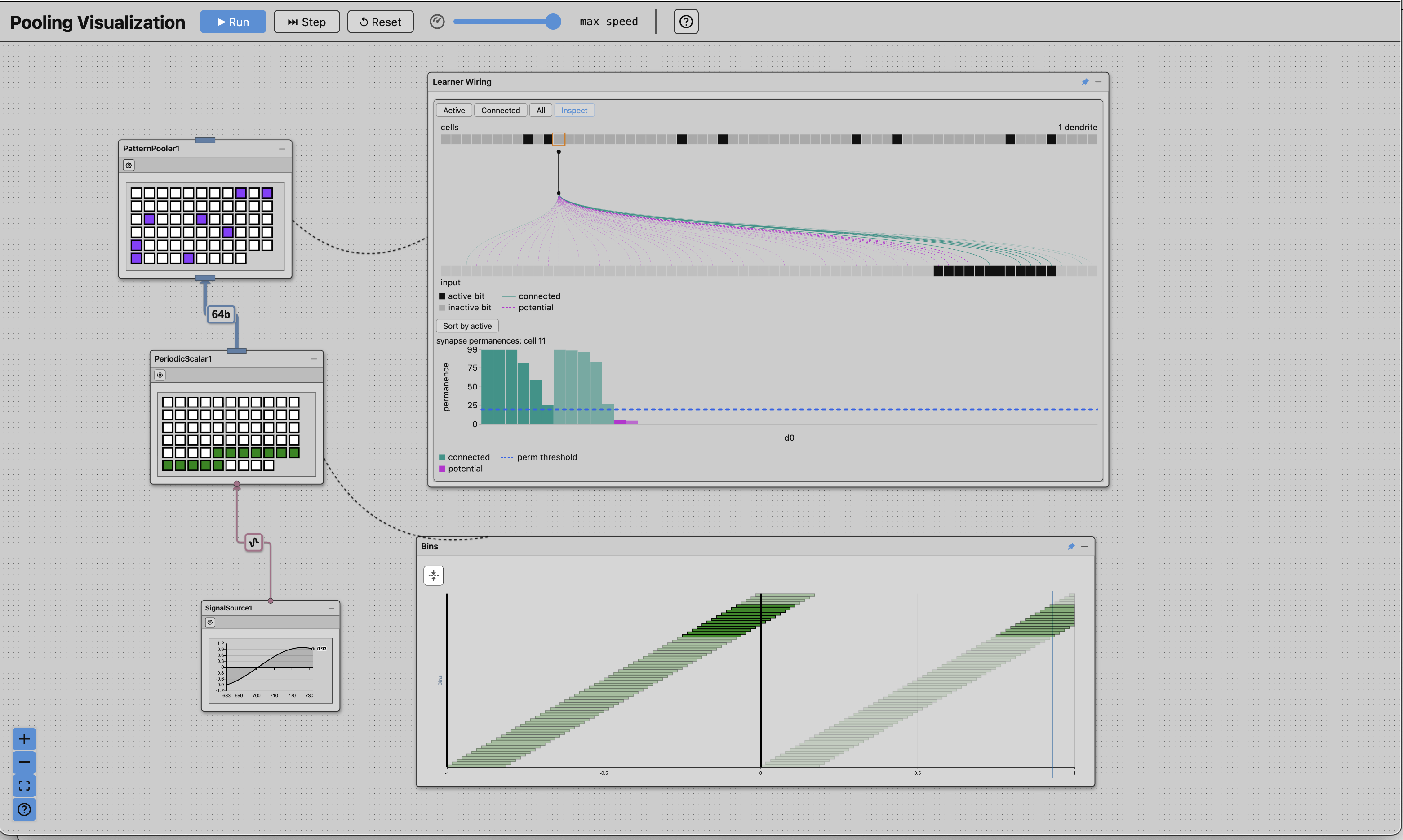
I initially teased this work back in December 2025 with a very simple encoder setup and very little interactivity. Since then, I’ve really been pushing this work to make it a general graph-based dashboard where nodes are computational modules and edges are connections between them.
The core algorithms are Rust-based and compiled into WebAssembly so that they completely run in your browser. Those of you who remember tinkering with HTM and NuPIC 8 years ago might be stunned by how fast this is when it only runs single-threaded. This performance is by design since I wanted this work to be able to scale. Not only that, but every node in the network has visualizations so that you can see how the data is produced, travels up to the encoder producing an encoded SDR, and then the cells of the pooler circuit process the SDR, accumulate synaptic input, select winners, and learn by changing their synaptic permanences. You can even inspect individual cells of the pooler circuit by clicking on the inspection view connected to the pooler node.
Want to change things up? Click on any of the configure buttons on any of the three nodes of this network. Each of the nodes has a customized interactive editor that allows you to reconfigure the node and visually see how it changes. This allows you to gain an intuitive understanding of the underlying algorithm and how the parameters affect the behavior.
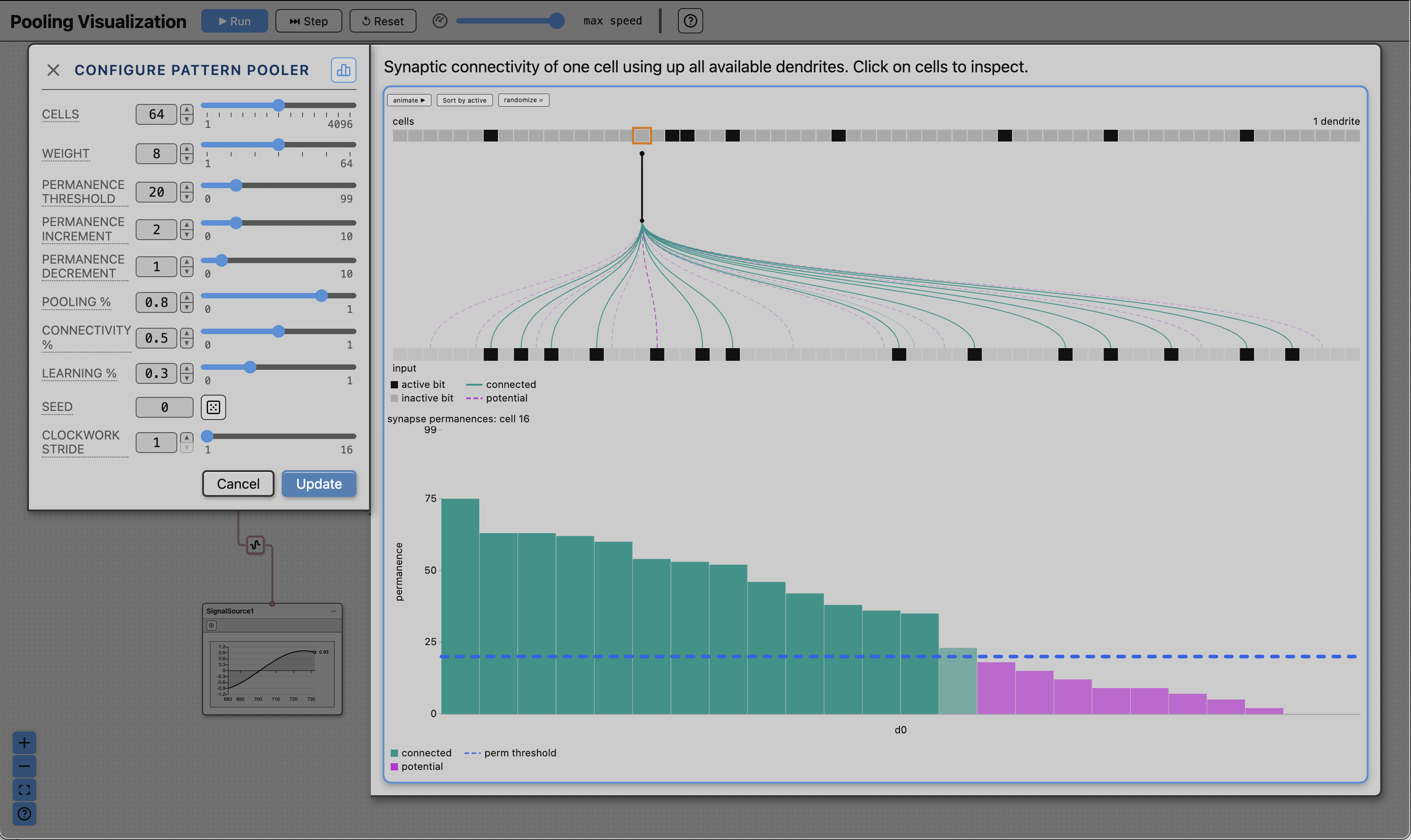
The pooler configuration dialog allows you to twiddle the parameters of the algorithms like knobs with real-time visualization of how that changes the algorithm (where it can). You can change the number of cells, the number of activations, synaptic allocations and synaptic learning parameters. A helpful visual gives you a sense of what that looks like in a typical learning scenario. (FYI, the pooler algorithm used is my own DCCcore variant which is very similar to the BrainBlocks Pattern Pooler.)
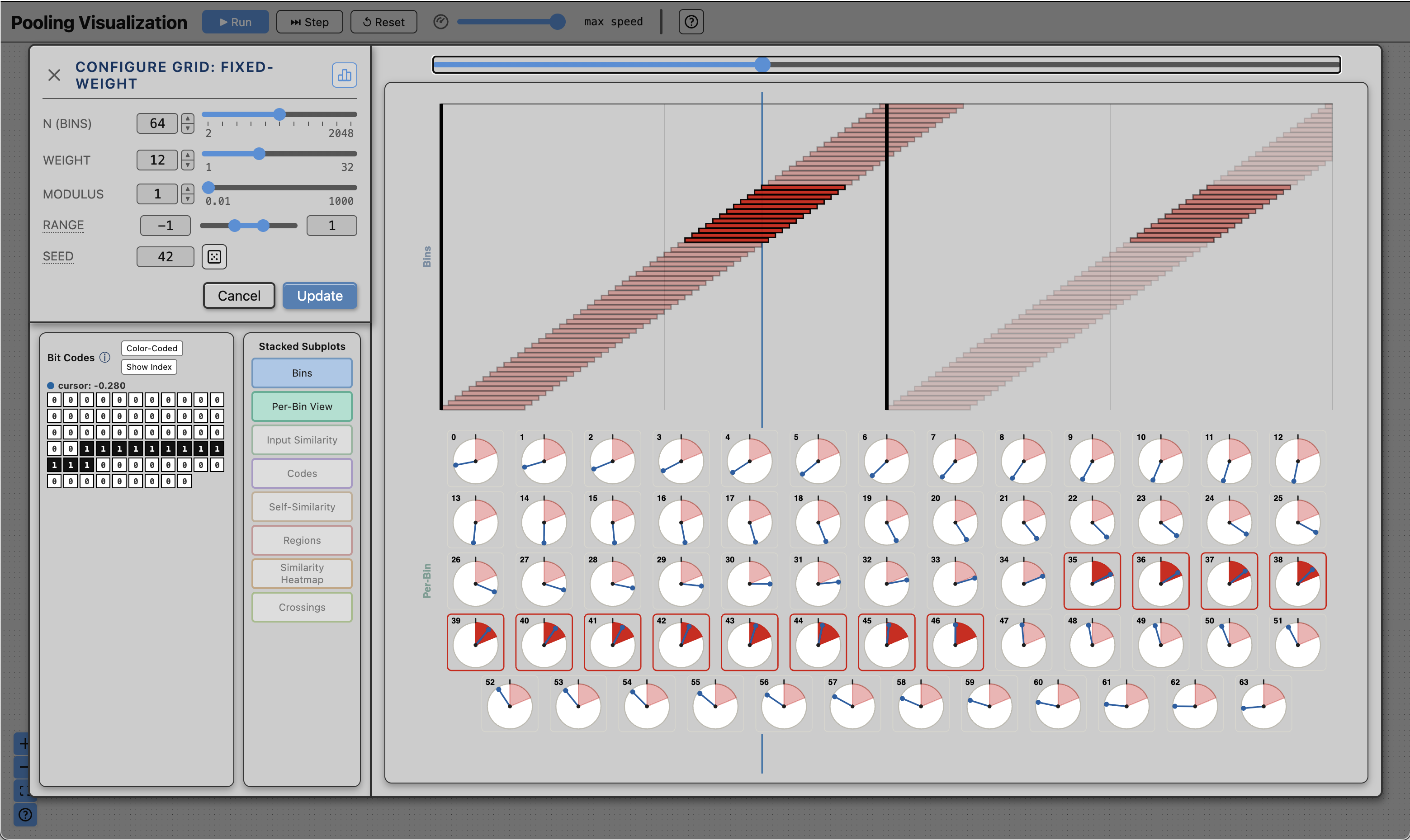
Similarly, the encoder configuration dialog allows you to change the encoder parameters and gain different ways to visualize and characterize the performance of the encoder by showing you an interpretation of the encoder as a set of receptive fields, as well as multiple other things you will just have to explore. The particular encoder I chose for this demo is called the “grid: fixed-weight” encoder, which is like a uniform arrangement of 1D grid cells that are guaranteed to always output the same number of active bits. You can customize the number of cells, the number of active bits in the SDR, and the modulus, which is the period at which the grid cells will repeat their activation to scalar input.
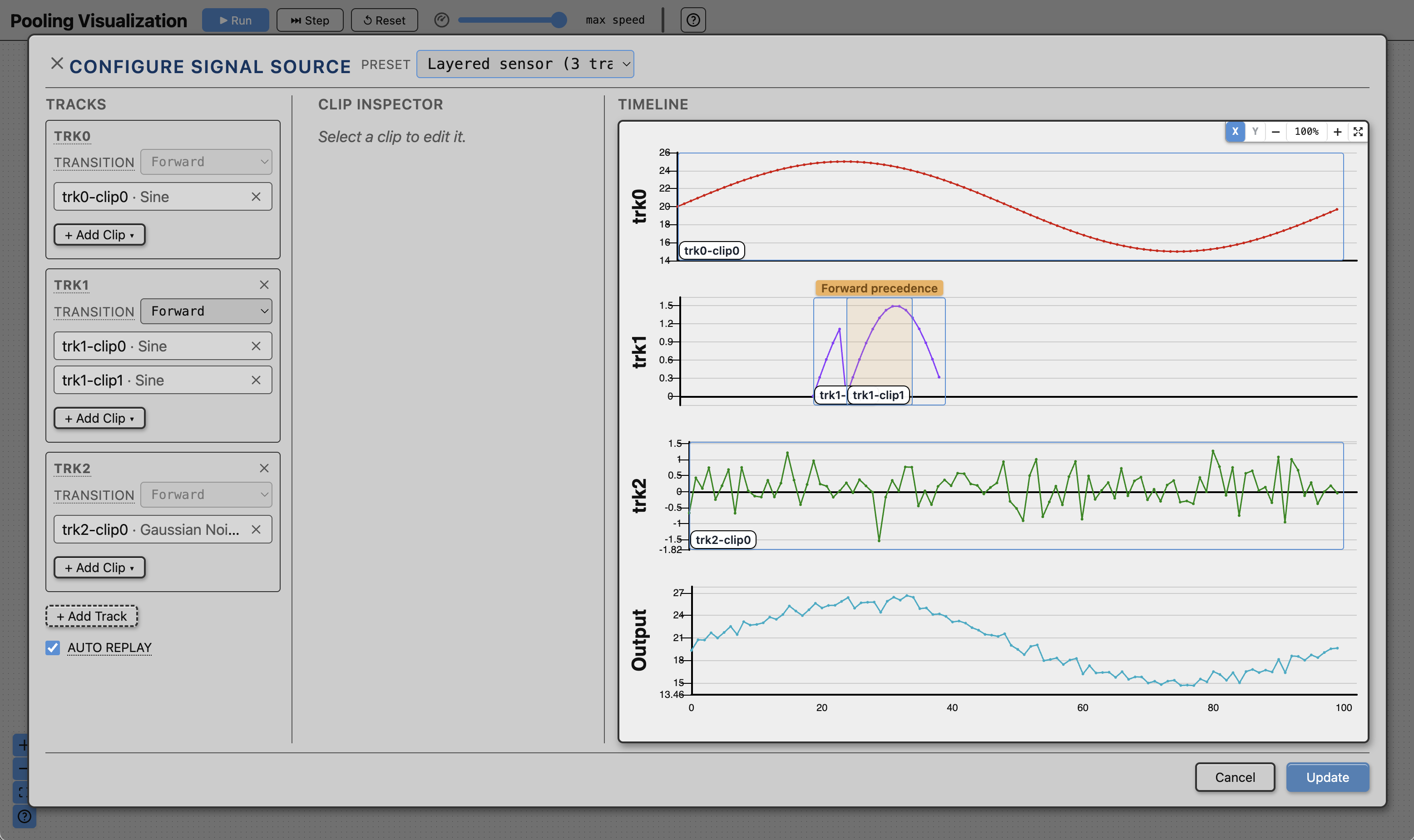
Finally, the data source configuration dialog allows you fine-grained control and customization of your scalar signals. This interface is a little less polished than I’d like it to be, but it functions a lot like soundtrack or video editor desktop application. You have “clips” that you can arrange and blend together on a “track”. You can have multiple tracks which allows you to build independent scalar waveforms. Each of these tracks is then added together to produce a single complex scalar waveform which can have things like noise, seasonality, and injected anomalies. We also introduce something called “mutations” which are alterations of the data in specific places which are usually things like sensor artifacts such as data dropouts, update stalls, or clamped sensor ranges. You’ll just have to experiment and see what’s there and what you can build.
This is just a taste of what the DCC Studio can do, but I feel it’s already a little overwhelming. You folks are essentially my first beta-testers so I would really love it if you could give me as much feedback as you can. I’ve been working on this for so long, I’ve probably lost sight of what it feels like to be a new user and could probably simplify and clarify some things. If you find errors, I would love to hear those too. You can comment here or you can open a issue at the dcc-public github repo where I publish my apps and demos.
Probably the first question I’ll get from the lot of you is, “can I build my own circuits?” Yes, that capability exists. No, not in this version. Calm yourselves! It will be ready only when it’s ready.
In the meantime, this standalone demo should keep you plenty busy. It can be quite fun seeing the things you’ve only imagined in your mind when thinking about these algorithms.
Have fun and I’d love to hear from you!